Input fields
Single- and multi-line text, check boxes, radio buttons and drop-down lists, each with its own validation rule.
The Aloaha online form designer is a WYSIWYG editor: you place fields where they belong on the page and the server produces the PDF and HTML versions. No downloads, no programming.
Single- and multi-line text, check boxes, radio buttons and drop-down lists, each with its own validation rule.
Images, plain text and lines to rebuild any paper form.
Function buttons, handwritten signature fields and esignature fields for X.509 certificates.
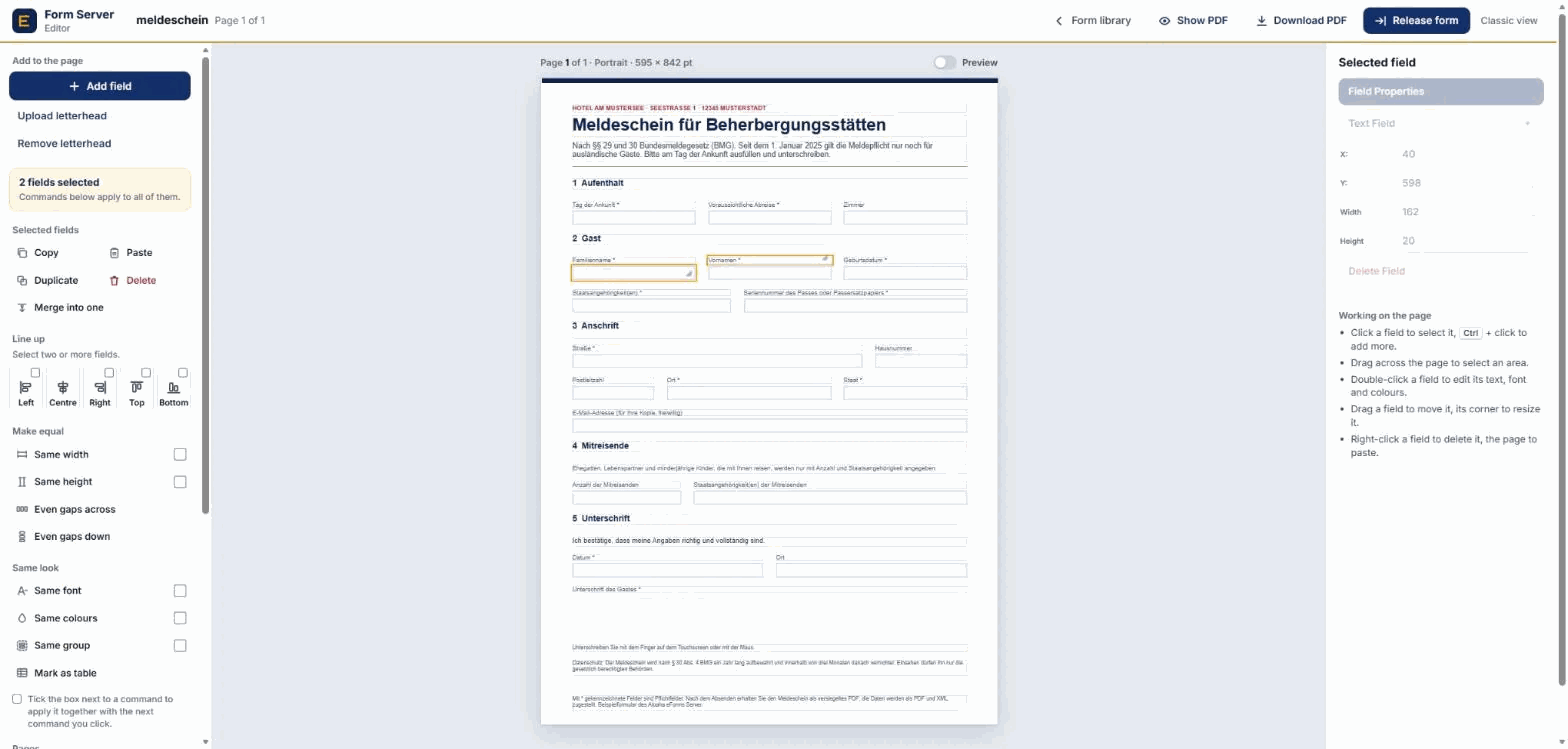
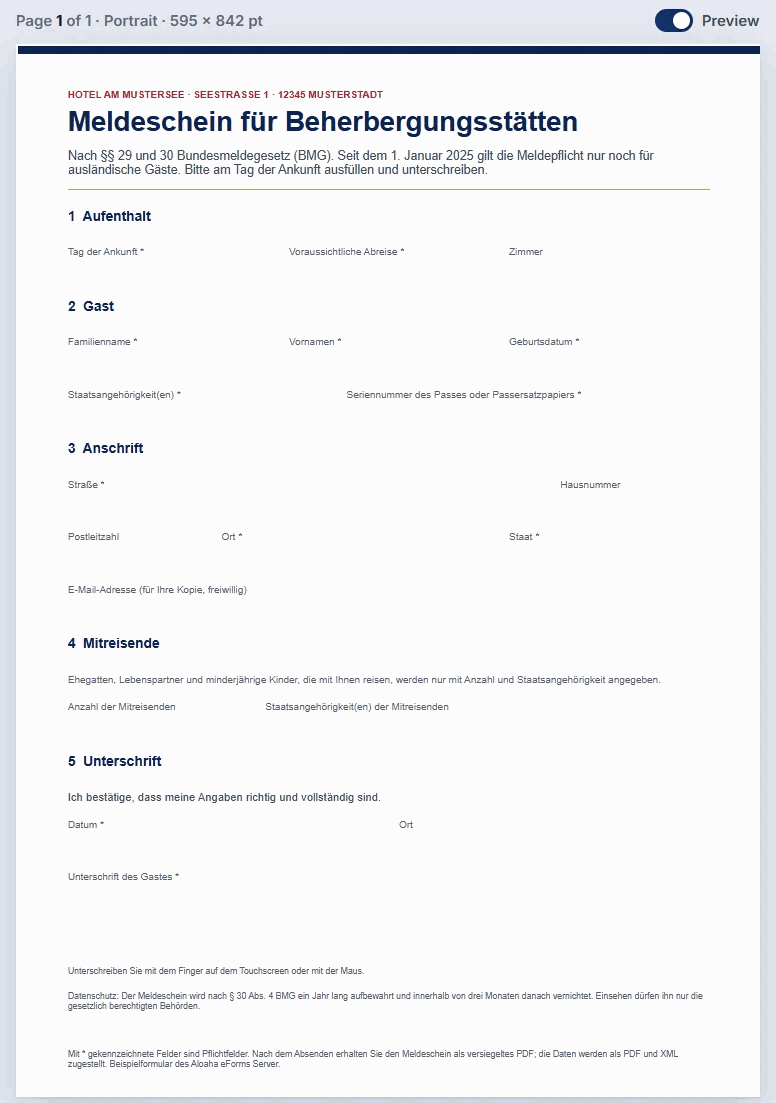
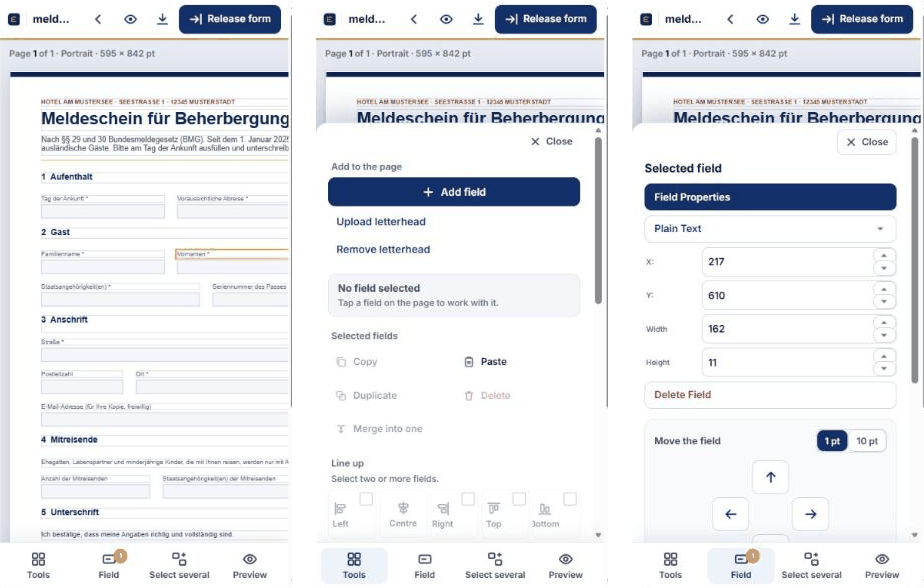
The editor shows the page as it will be printed: tools on the left, the page in the middle, the selected field on the right. Double-click a field to set its name, type, rule and colours. Switch on Preview to see the form exactly as people will get it, and on a phone the same editor works with your fingers.
Every step is explained in the editor manual.
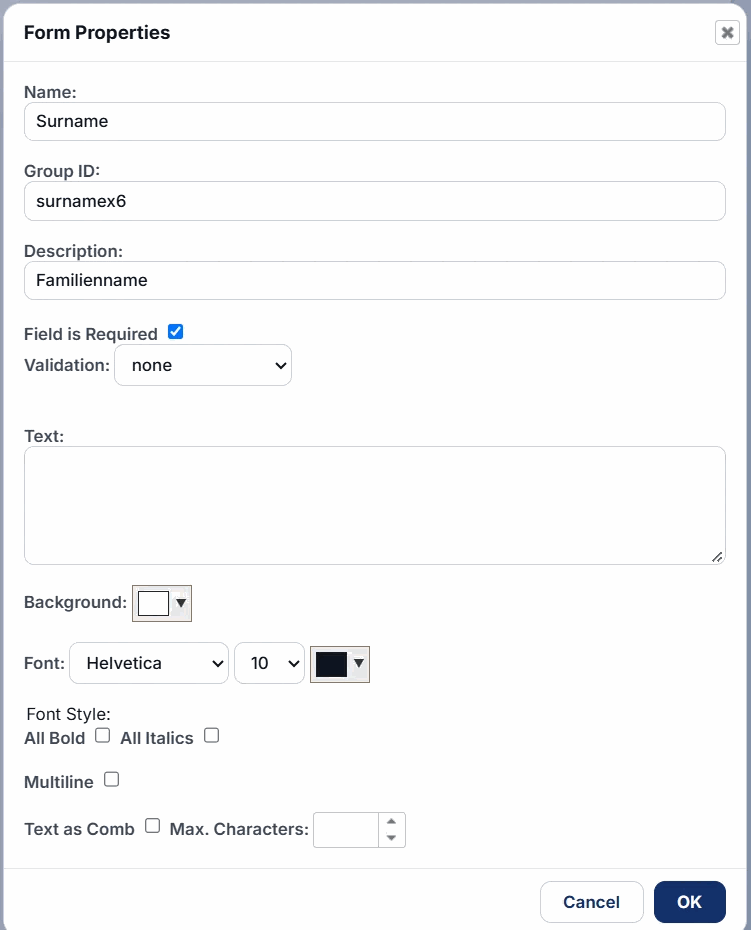
Validation: every field can carry a regular expression and an error message, for example for e-mail addresses or ID card numbers.
Letterheads: forms can depend on one or more documents such as a letterhead. Update the letterhead once and every dependent form follows; language-specific letterheads switch the form language automatically.
Reuse: clone an existing form to save time, start from templates, and export forms as backup to restore them later or on another server.
On your own installation or a hosted server.
Form owners in administration, insurance, property management, hotels, schools and companies use the designer to turn existing paper or PDF forms into online forms. Upload the original as letterhead, place the input fields on top, add validation rules and release it. Because the designer works with points on the PDF page, the released PDF looks exactly like the original, and the responsive HTML version adapts the same fields to small screens.
The editor manual explains every tool step by step, and the REST API lets your software read the fields of any released form.
No. The designer runs in the browser.
Yes. Clone it from the form library, or use a letterhead that many forms depend on.
Yes. Upload the original as a letterhead and place the input fields on top of it; the released PDF keeps the original layout.
Yes. The editor works with touch: tap to select, drag to move, and use the panels at the bottom on small screens.
Every released form is available as dynamic PDF (AcroForm), responsive HTML and static HTML from one link.
Ask for a free 30-day trial, or book a free online presentation.
Last updated: